
User Guide
A calmer way to budget before payday
Buffer helps you see what’s safe to spend before payday. Add your recurring income and bills, check your forecast, and stay in control with a clearer view of your pay cycle.
Getting started
Get useful results from Buffer quickly
To get started, set your pay schedule, choose your currency, add your recurring income and bills, then enter your current balance in Forecast. Once those essentials are in place, Buffer can show what’s left and what’s safe to spend before payday.
1. Set your pay schedule
Choose monthly on a day, monthly on the last day, monthly on the last working day, or every 4 weeks.
2. Choose your currency
Buffer supports GBP, EUR, USD, CAD, AUD, NZD and JPY.
3. Add income and bills
Add the recurring money coming in and going out so Buffer can calculate your cycle properly.
4. Enter your current balance
Open Forecast, enter where you stand today, and Buffer will show your predicted balance and spending allowance before payday.
Bills
Keep your recurring money in one place
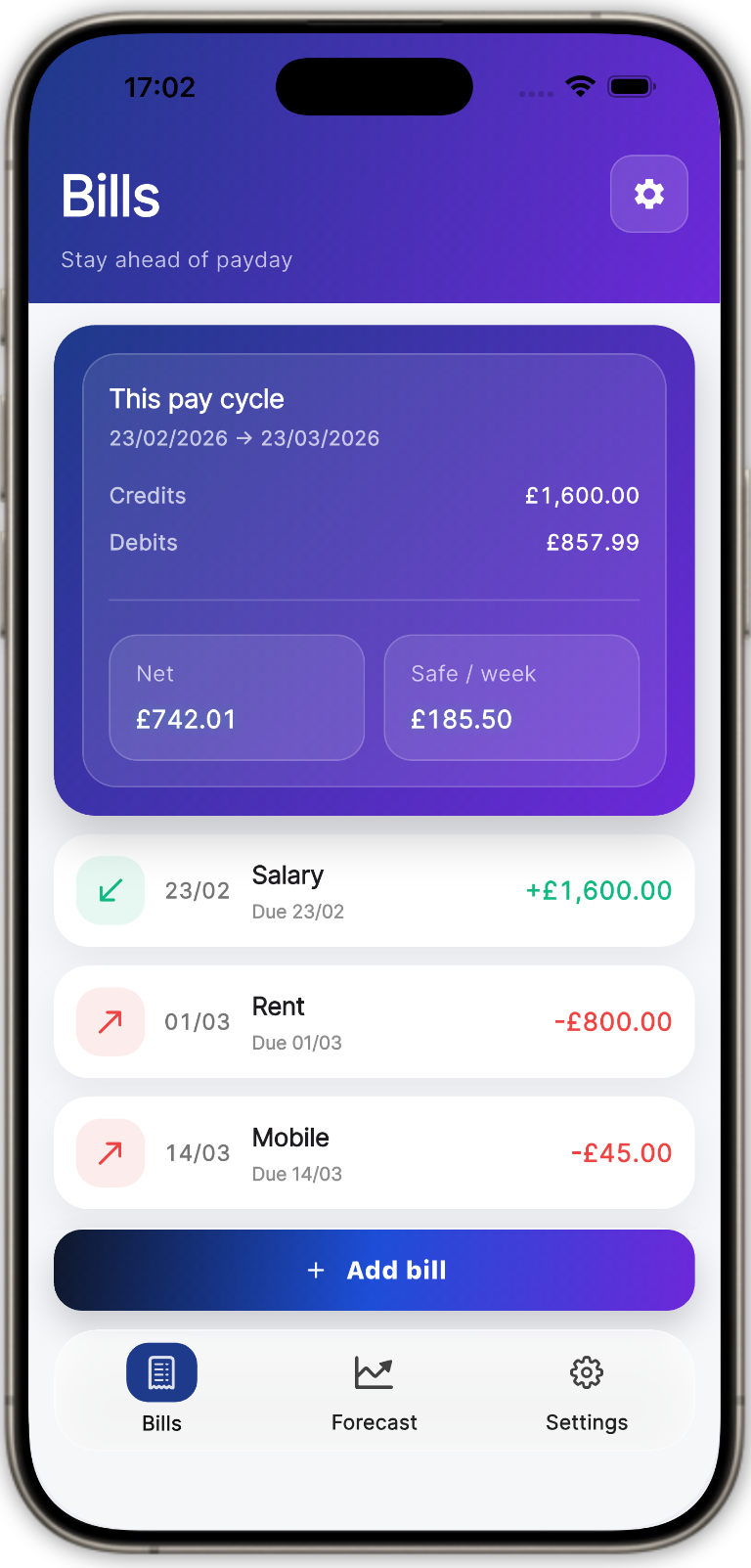
The Bills tab is where you add recurring income and bills. Buffer uses these items to work out what is due before payday and what is left in the cycle.
- • Add income and bills with a name, amount, type and date
- • See totals for the current cycle
- • View the net amount left for the period
- • Edit or delete items any time
In the app, these may appear as Credits and Debits. In simple terms, that means money coming in and money going out.
Forecast
See what’s safe before payday
Forecast is the core of Buffer. Enter your current balance, choose a future date, and the app estimates where you’ll stand by then based on what is due in your cycle.
Predicted balance
See where your balance is heading before payday.
Weekly and daily allowance
Buffer breaks the remaining amount into simple spending guides.
Cycle progress
See how far through the pay cycle you are and how many days remain.
Overdraft mode
Forecast from an overdraft position if that better reflects real life.

Settings
Fine-tune Buffer to suit you
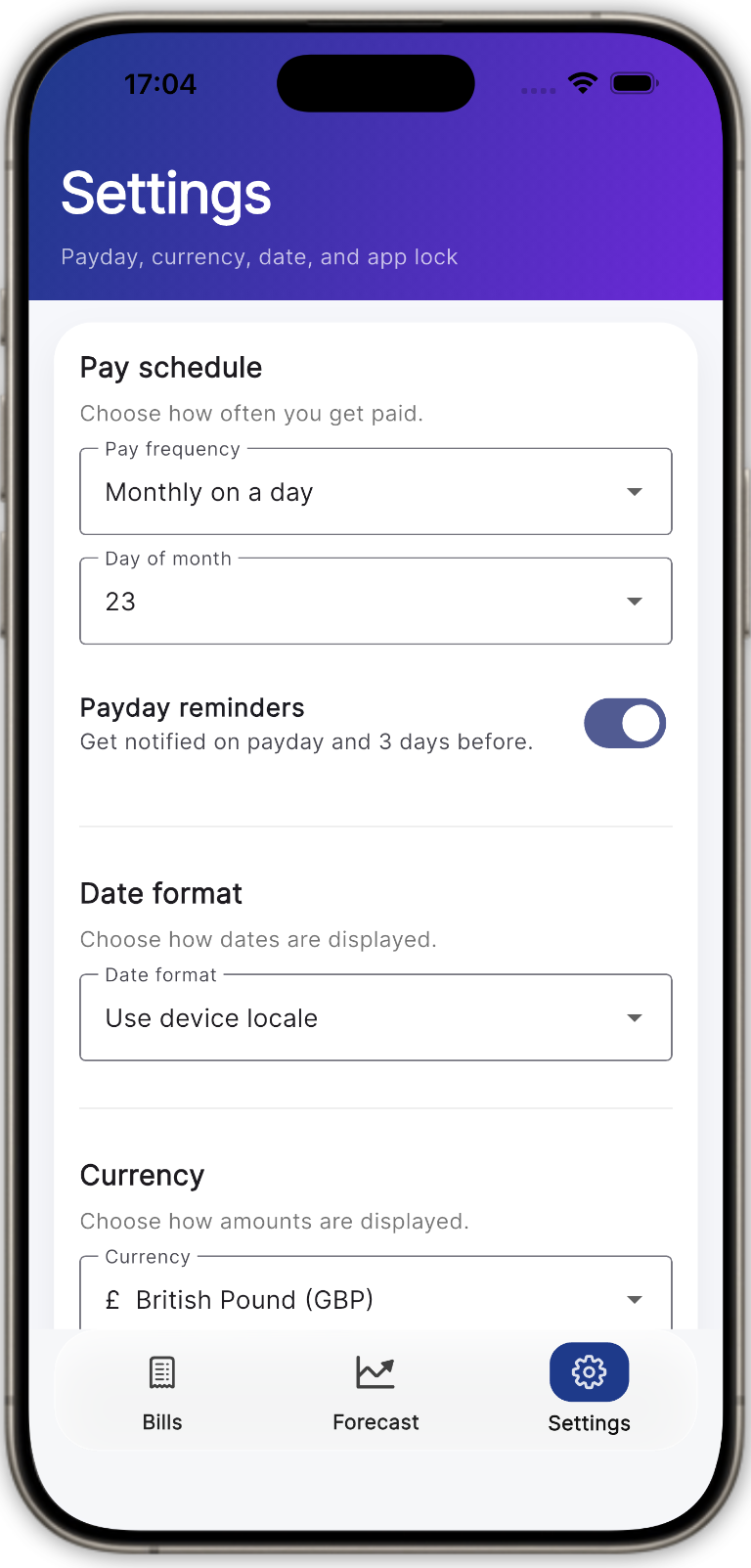
Settings is where you adjust Buffer after setup. You can update how the app works, change your preferences, and add extra protection whenever you need to.
Change currency or pay schedule
If your circumstances change, you can update your currency, pay schedule, and every-4-weeks anchor date.
Set reminders and date preferences
Choose your preferred date format and enable payday reminders so Buffer fits more naturally into your routine.
Protect the app with biometrics
Lock Buffer with biometrics or your device passcode, and set a timeout if you want the app to relock automatically.
Privacy
Private by design
Buffer stores your data locally on your device and can be protected with biometrics or your device passcode. No bank connections, no clutter, just clarity.
FAQ
Common questions
Does Buffer connect to my bank?
No. Buffer is designed to work without bank connections.
What does “safe to spend” mean?
It’s Buffer’s estimate of what you can spend between now and payday after your recurring income and bills are taken into account.
Can I use Buffer if I’m in my overdraft?
Yes. Forecast includes an overdraft mode so the numbers reflect your real starting point more accurately.
Does Buffer support different currencies?
Yes. Buffer supports GBP, EUR, USD, CAD, AUD, NZD and JPY.
Can I lock the app?
Yes. Buffer supports app locking with biometrics and device passcode options.